[✨ Feature] Spintext for Random Message Variations You can now use spintext to randomize parts of your message. Example: [[Hi|Hello|Hey]] {{name}}, your order is on the way. One option inside [[...]] will be picked at random for each message. Useful when sending lots of messages to keep things a bit more human. More details and examples in the docs: How to Use Spintext
[✨ Feature] Manage Subscription Button A new Manage Subscription button has been added to the Settings sheet. Click it to get a login link by email. From there, you can access your portal to view invoices or cancel your subscription.
[✨ Feature] WhatsApp Template Messaging
You can now send WhatsApp template messages through Twilio Blaster. Just enter your approved template ID, map your placeholders, and send messages easily. For more information: Watch the tutorial here.
[✨ Feature] Enhanced Placeholders You can now specify multiple placeholders for a single number in one row, making message personalization even more flexible. A new tutorial video explains how to use this feature: Watch here.
[✨ Feature] Powerful Phone Number Converter The phone number converter has been significantly upgraded. It now uses a more sophisticated and reliable method to format and validate numbers. You can check:
If a number is valid
Whether it's a landline or mobile number
The associated timezone More details and a dedicated tutorial video are available here: Learn more.
[🌱 Improvement] Advanced Pre-Send Validation Previously, Twilio Blaster checked numbers for formatting issues before sending. Now, it also verifies whether the numbers are actually valid. If you prefer to disable this feature, you can do so in the settings.
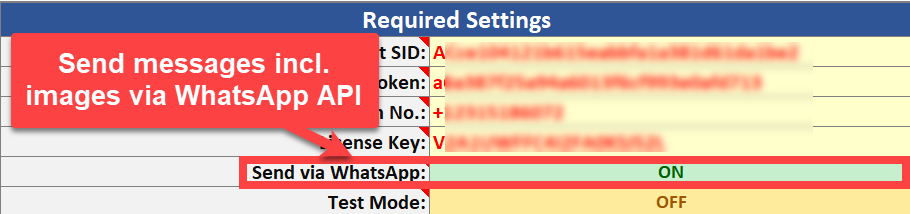
[✨ Feature] WhatsApp Messaging Support You can now also send WhatsApp messages directly from Twilio Blaster. Set up your WhatsApp account in Twilio and start sending WhatsApp messages (incl. images). More info: https://pythonandvba.com/go/twilio-blaster-whatsapp-documentation
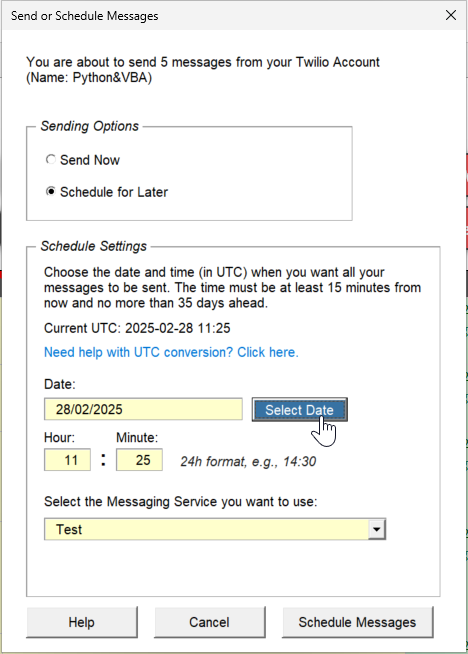
[✨ Feature] Real-Time Progress & Cancel Option A progress bar now shows you how many messages have been sent, and you can cancel the sending process at any time with a new cancel button.
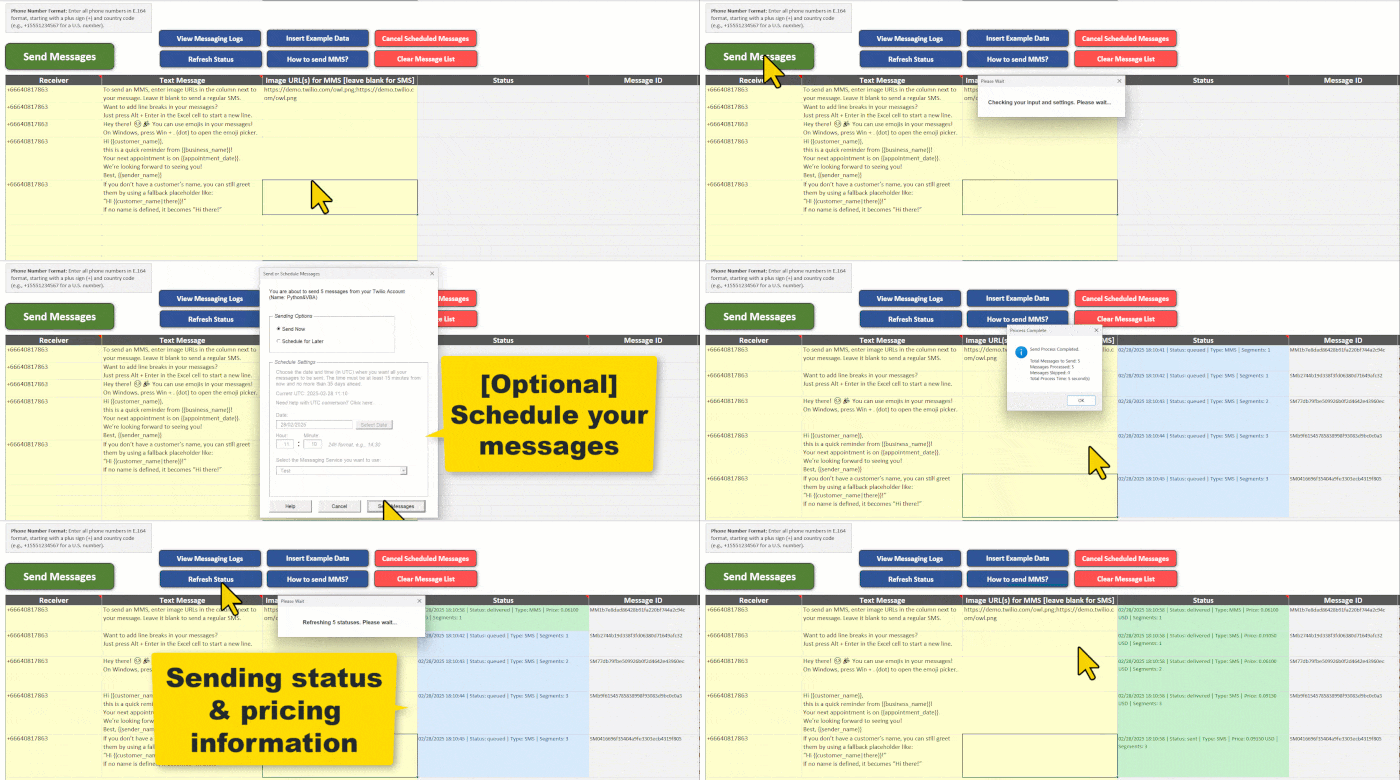
[✨ Feature] Message Status & Pricing You can now check the status of your messages after sending them. See whether your messages have been delivered and view the price you’re paying per message.
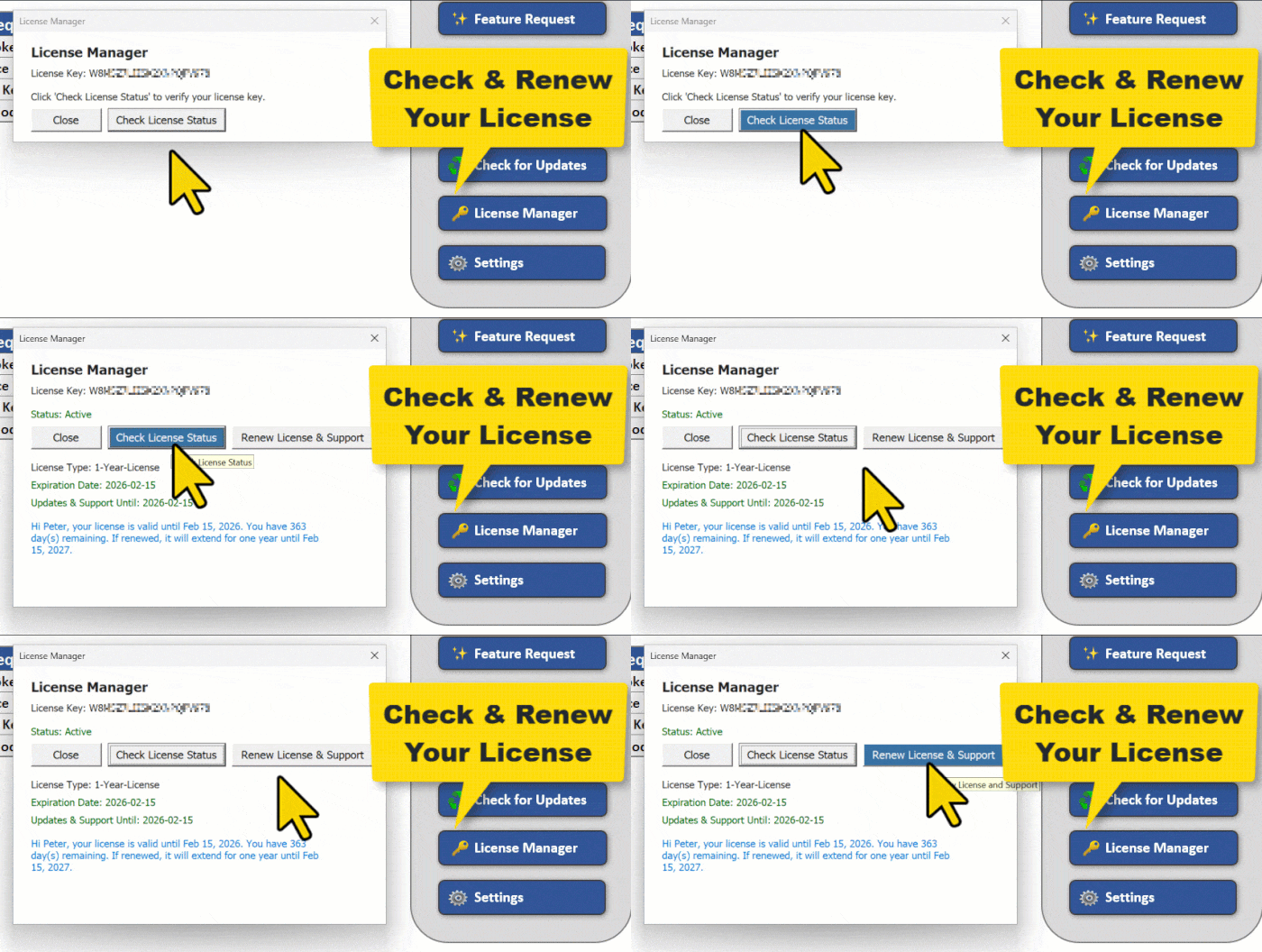
[✨ Feature] New License Manager & Update Checker You can now view your license status and renew it directly from the tool. Plus, a new “Check for Updates” button makes it easy to confirm you’re using the latest version.
[✨ Feature] Table-Based Message Sender The message sender is now organized as an Excel table. This means you can extend, move, or adjust your messages easily.
[🌱 Improvement] Fallback Placeholder Syntax You can now specify a fallback value right in the placeholder using a pipe symbol. For example, if you write: "Hi {{customer_name|there}}," and no value is defined for customer_name, Twilio Blaster will automatically use “there” as the fallback. This ensures that your messages always have a sensible default.
[🌱 Improvement] Smoother Delay Handling Long delay settings no longer freeze Excel. Addtionally, delays are now capped at 24 hours (86,400 seconds) to prevent crashes.
[🌱 Improvement] Pre-Send Data Validation Before sending, the tool now checks that phone numbers look correct and verifies that your Twilio settings (account SID and auth token) are entered properly. This helps prevent wasted attempts.
[🌱 Improvement] Enhanced Paste Formatting When you copy and paste numbers (for example, from the number converter or another spreadsheet), the tool preserves the original formatting. (You can disable this feature in the settings if you prefer.)
[🌱 Improvement] Customizable Notifications Success and notification messages can now be turned off in the settings for a quieter user experience.
[🌱 Improvement] Further Enhancements I’ve made a range of backend improvements to make the tool more robust and reliable.
[🐛 Bug Fix] Placeholder Crash Prevention Previously, if a placeholder value contained a formula error, the tool would crash. Now, errors are flagged in the check column and are safely converted to empty strings, so the process continues smoothly.
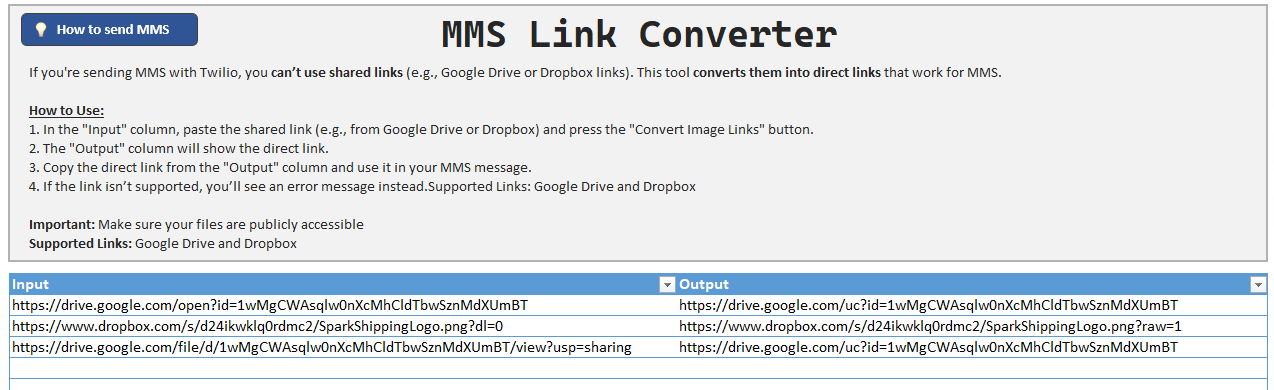
The new MMS Link Converter tool helps you prepare direct links for sending MMS messages. Shared links from platforms like Google Drive and Dropbox don’t work for MMS. This tool converts those shared links into direct links that are compatible with Twilio MMS.
MMS Link Converter Tool
📄 Learn more about MMS and how to use the converter: MMS Documentation
[⚡ Improvement] Alphanumeric Sender ID Support
You can now use Alphanumeric Sender IDs directly in the From Number field. This allows you to display your brand or company name as the sender for SMS messages in supported countries.
Example of how an Alphanumeric Sender ID (AUTHMSG) would look in place of the standard number
You can now send MMS messages with Twilio Blaster! Add image URLs to your messages and send media like photos or GIFs alongside your text. Learn more in the MMS Documentation.
Note: MMS is supported only in the US, Canada, and Australia. Messages to unsupported countries will be converted to SMS with a short URL (if enabled).